Retro Handheld SD Card Setup: Cards, Formatting & Folders
A bad microSD card is the most common reason a retro handheld misbehaves. Getting the card, the format and the folder layout right up front saves hours of frustration.
Choosing the right card
Buy a reputable brand (SanDisk, Samsung, Kingston, Lexar) from a trustworthy seller. For retro use you do not need the fastest card; an A1-rated card is plenty, and A2 helps only on Android devices that support it. Capacity depends on what you run — 64–128 GB is a comfortable middle ground; 256 GB+ only if you have large libraries.
The bigger risk is counterfeit cards that lie about their size. Always test a new card (see below) before relying on it.
FAT32 vs exFAT
Two formats cover almost everything:
- FAT32 — the most universally compatible, and what many Linux-based handhelds and custom firmwares expect. Its limit is 4 GB per file, which only matters for large disc-based games.
- exFAT — handles files over 4 GB and is common on Android devices. Some retro firmwares don't like it, so check your device's requirements first.
When in doubt, FAT32 is the safe default for dedicated retro Linux handhelds. Cards above 32 GB need a tool that can FAT32-format large cards (the built-in Windows formatter hides the option above 32 GB).
Formatting tools
- SD Card Formatter (SD Association) — the safest first step; cleans a card properly.
- guiformat / FAT32 Format (Windows) or mkfs.vfat (Linux/Mac) — to force FAT32 on cards larger than 32 GB.
Formatting erases everything on the card — back up first.
Single vs dual SD slots
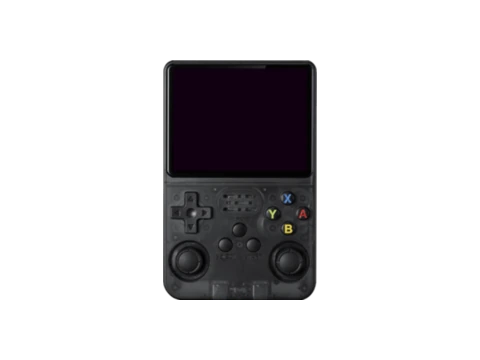
Many Anbernic and clone devices have two slots: one holds the firmware/operating system, the other your content. Keep the OS card small and untouched, and put your library on the second card so you can reformat or swap it freely. Single-slot devices put both on one card in separate folders.
Folder layout
Most firmwares scan a set of system folders (one per console) and a separate BIOS folder for the system files certain emulators require. The exact names depend on the firmware — follow your custom firmware's documentation rather than guessing, since a mismatched folder name is why a system often "doesn't show up." Keep a tidy, consistent structure and the on-device menus stay fast.
Test a new card before trusting it
Counterfeit cards report a fake capacity and corrupt data once you pass their real size. Verify every new card with a capacity tester (F3 on Mac/Linux, H2testw on Windows) before loading it. A card that fails the test should be returned, not used.
Frequently asked questions
What size SD card do I need?
64–128 GB suits most users. Go larger only for big libraries; the card size doesn't affect performance for retro systems.
FAT32 or exFAT for a retro handheld?
FAT32 is the most compatible and the safe default for Linux-based retro handhelds; use exFAT only if you need files larger than 4 GB and your firmware supports it.
Why isn't my handheld reading the SD card?
Usual causes: wrong format (try FAT32), a counterfeit/failing card, or files placed in folders the firmware doesn't scan. Reformat with SD Card Formatter, test the card, and follow your firmware's folder names.