Retro Handheld Troubleshooting: Common Problems & Fixes
Most retro handheld problems come down to a handful of causes — usually the SD card or the firmware. Here are the common symptoms and the first things to check.
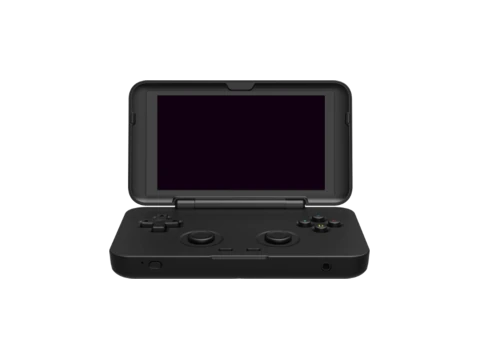
Won't boot or black screen
Usually the firmware card. Check it's inserted in the correct slot, is properly formatted and was imaged (not just file-copied). Reflash the firmware image, try a known-good card, and make sure the battery is charged. A device that boots with no card but not with one points squarely at the card or image.
SD card not detected
Try a different format (FAT32 is the safe default), reformat with SD Card Formatter, and test the card for counterfeits with F3 or H2testw. Reseat the card and inspect for bent pins. See the SD card guide for the full routine.
A console or games won't show up / won't launch
Almost always a folder-name or BIOS-folder mismatch: each firmware scans specific folder names, and several emulators need their system files present in the firmware's BIOS folder. Follow your custom firmware's documented folder layout exactly, then rescan or reboot. If one system is fine and another isn't, it's that system's folder or required files.
Stick drift or unresponsive controls
Many firmwares include a calibration tool — run it first. Drift on potentiometer sticks is a hardware wear issue; devices with hall-effect sticks largely avoid it. Buttons that feel mushy are usually a reseating or membrane issue.
WiFi or Bluetooth problems
On budget Linux handhelds, wireless is often weak or finicky by design. Confirm your firmware supports the device's wireless chip, sit closer to the router, and prefer 2.4 GHz. For controllers and audio, check your firmware's Bluetooth pairing steps — support varies by build.
Battery, charging and heat
Use a decent USB cable and charger; some thin cables won't charge under load. Poor battery life on PC and high-end Android handhelds is normal given their power draw. Warmth during demanding emulation is expected; persistent overheating or no-charge behaviour is worth raising with the seller.
Frequently asked questions
Why won't my retro handheld turn on?
Most often the firmware SD card: wrong slot, wrong format, or file-copied instead of imaged. Charge the device, reflash the firmware image, and try a known-good card. If it powers on without a card but not with one, the card or image is the problem.
Why do some games or systems not appear?
Usually a folder-name mismatch or missing system (BIOS) files the emulator requires. Follow your firmware's exact folder layout and rescan. HandheldWiki does not provide games or BIOS files.
How do I fix analog stick drift?
Run your firmware's calibration tool first. Persistent drift on standard sticks is hardware wear; handhelds with hall-effect sticks are largely immune to it.