How to Flash Firmware on a Retro Handheld (Safely)
"Flashing firmware" sounds scary but on most retro handhelds it just means writing a firmware image to a microSD card and booting from it. Here's the safe general process and what to watch for.
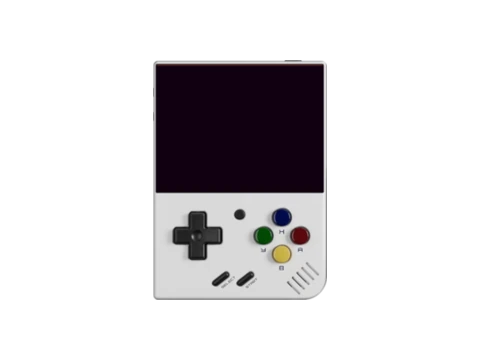
Stock vs custom firmware
Stock firmware is what the device ships with. Custom firmware (CFW) is community-made software that usually adds better emulators, more features and a nicer interface. Most flashing people do is installing CFW — see the custom firmware guide for which one fits your device.
On many Linux handhelds, CFW lives entirely on the SD card, so you can try it without touching the device's internal storage — and revert by swapping cards. That makes it low-risk. Devices that flash internal memory carry more risk; read their specific instructions.
The general process
For the common "firmware-on-SD-card" style of device:
- Identify your exact model and download the correct firmware image for it from the official project or maker. The wrong image is the main way people run into trouble.
- Format the microSD card (see the SD card guide).
- Write the image to the card with an imaging tool such as balenaEtcher, Rufus, or Raspberry Pi Imager. This is different from copying files — it writes a full disk image.
- Safely eject, insert into the device's correct slot, and power on. First boot is often slower while it expands the system.
Notes by brand family
- Anbernic (browse) — most RG-series boot CFW from the second SD slot; the OS card stays separate.
- Miyoo (browse) — the Miyoo Mini family is famous for a single-card CFW that's a simple drag-and-drop after imaging.
- Powkiddy / clones (browse) — vary a lot; match firmware to the precise board revision.
- Trimui (browse) — popular community firmware exists for several models.
Always check your device's page and the firmware project's docs for model-specific steps before flashing.
Avoid bricking
- Right image for the right model — never flash another device's firmware.
- Don't interrupt an internal-storage flash; keep the device charged.
- Keep a stock backup — if your device flashes internal memory, back up the original first so you can recover.
- SD-card CFW is reversible — if it lives on a card, just reflash or swap the card to undo it.
Frequently asked questions
Will custom firmware brick my handheld?
If the firmware lives on the SD card (most Linux retro handhelds), it's low risk and reversible by reflashing the card. Devices that flash internal memory carry more risk — back up the stock firmware first and follow model-specific instructions.
What tool do I use to flash firmware?
An imaging tool such as balenaEtcher, Rufus or Raspberry Pi Imager writes the firmware image to the microSD card. Copying files won't work — you must write the disk image.
Can I go back to stock firmware?
Yes. For SD-card firmware, reflash or swap the card. For internal flashes, restore from the stock backup or the maker's official firmware download.